Ask about your fleet the way you actually think about it.
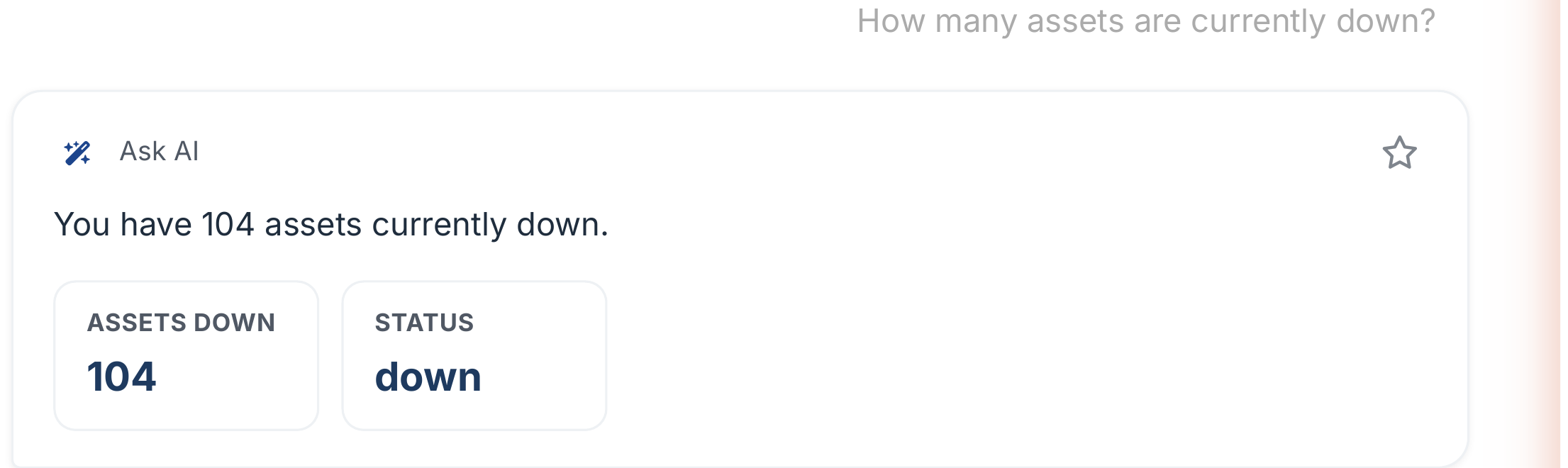
Torgix AI understands your operation and your projects. Ask in plain English and get a real answer. Not a report you have to build first.
Assets & Projects connects your equipment to the work it does. Every hour a machine runs on a job site gets attributed to the right project. Automatically. You always know what each contract is costing you in equipment, before the job closes.
Uptime, spend, and every module reporting in, with the AI briefing you on the day before it starts.
Real product screens. Figures shown are illustrative demo data.
01 · A thousand machines. One screen. And the day already sorted.
02 · Torgix opens with the whole fleet: what's up, what's down, what's being spent, and how complete your data is. Then the AI reads the morning for you. What broke, why it matters, and the first move to make.
03 · Behind it, every module reports in. Work orders, issues, inspections, parts, fuel, warranties. Click any number and you're standing on the job itself.
04 · This is the difference between running the day and chasing it. The owner sees the money. The foreman sees the jobs. Everybody sees the truth.
05 · The whole fleet, one screen. Torgix.
Pre-use, post-use, and damage checks logged on a phone in the yard. A failed inspection becomes an issue, the issue becomes a work order, and the machine's health score remembers.
Real product screens. Figures shown are illustrative demo data.
01 · Four thousand inspections a year. The one that matters is the one that fails.
02 · Pre use, post use, damage checks. Logged on a phone in the yard, pass or fail, photos attached.
03 · A failed inspection does not sit in a binder. It becomes an issue, the issue becomes a work order, and the machine's health score remembers.
04 · Catch it at the walk around, not on the job. Torgix.
Machines move between job sites, operators log hours inconsistently, and by the time the invoice lands there's no clean way to know what each project consumed.
"We move equipment between three active projects and nobody tracks which hours go where."
Without project-level assignment, every piece of equipment's operating cost gets lumped into overhead. You can't know which jobs are profitable and which are bleeding you out.
"Our excavator sat idle on site for 11 days last quarter. We had no idea."
Underutilized equipment on an active job is pure cost. But without utilization data per project, you can't catch idle machines or redeploy them where they're needed.
"I have no idea what our fleet utilization rate is across active projects."
If your machines are running at 40% utilization and you're paying for 100%, you're either underquoting jobs or overbuying capacity. You can't fix what you can't see.
Every hour a machine runs is either making you money or costing you margin. The difference between a profitable contract and a breakeven one is often buried in untracked equipment hours. Torgix surfaces it. In real time, by project, by machine.
Four steps from machine on a job site to a real project cost you can act on.
Attach machines to jobs in Torgix. When an asset moves to a new site, reassign it. Every operating hour flows to the right project from that point forward.
Telematics data and operator logs feed Torgix in real time. No manual entry, no week-old spreadsheets. Hours are captured when they happen.
Torgix applies your ownership cost per machine. Fuel, depreciation, financing, maintenance. To every hour logged. Your project sees the real cost, not a billing rate estimate.
See utilization rates across your active assets. Identify idle machines before they become a problem. Redeploy or pull equipment with the data to back up the decision.
From project assignment to utilization alerts, every tool in Assets & Projects is built to give you control over your biggest variable cost.
Every machine hour, fuel fill, and repair cost is attributed to the project it happened on. Close a job and see the real equipment cost. Not an estimate, not a billing rate allocation.
Organize equipment across yards and sites, and filter every view, costs, maintenance, parts, utilization, by location. See which machines are assigned, which are idle, and what's coming free, and schedule across projects without phone calls or conflicts.
Know your asset utilization rate per project and across your whole operation. Catch underperforming assets before they drag margin on a contract you're counting on.
Operators log hours against the right project directly in Torgix. No more paper timesheets, no more reconciliation two weeks after the work happened.
See how much each active project has consumed in equipment cost. Today, this week, this month. Compare to budget. Catch overruns while there's still time to act.
One view of every machine, every project, every utilization rate. Stop managing your equipment across scattered spreadsheets, texts, and phone calls.
Torgix AI understands your operation and your projects. Ask in plain English and get a real answer. Not a report you have to build first.
The difference is closing contracts knowing exactly what they cost you in equipment. Not estimating after the fact.
Start a free trial. No credit card. Full platform access from day one.
No setup fees. Cancel any time.